You do not run your business from a desk, so your business software should not live only on one. The MinerOp app for iPhone and Android is now in beta. It signs in to the same MinerOp account you already use, so your leads, schedule, customers, estimates, invoices and business phone are with you wherever the day takes you.
What You Can Do From Your Phone
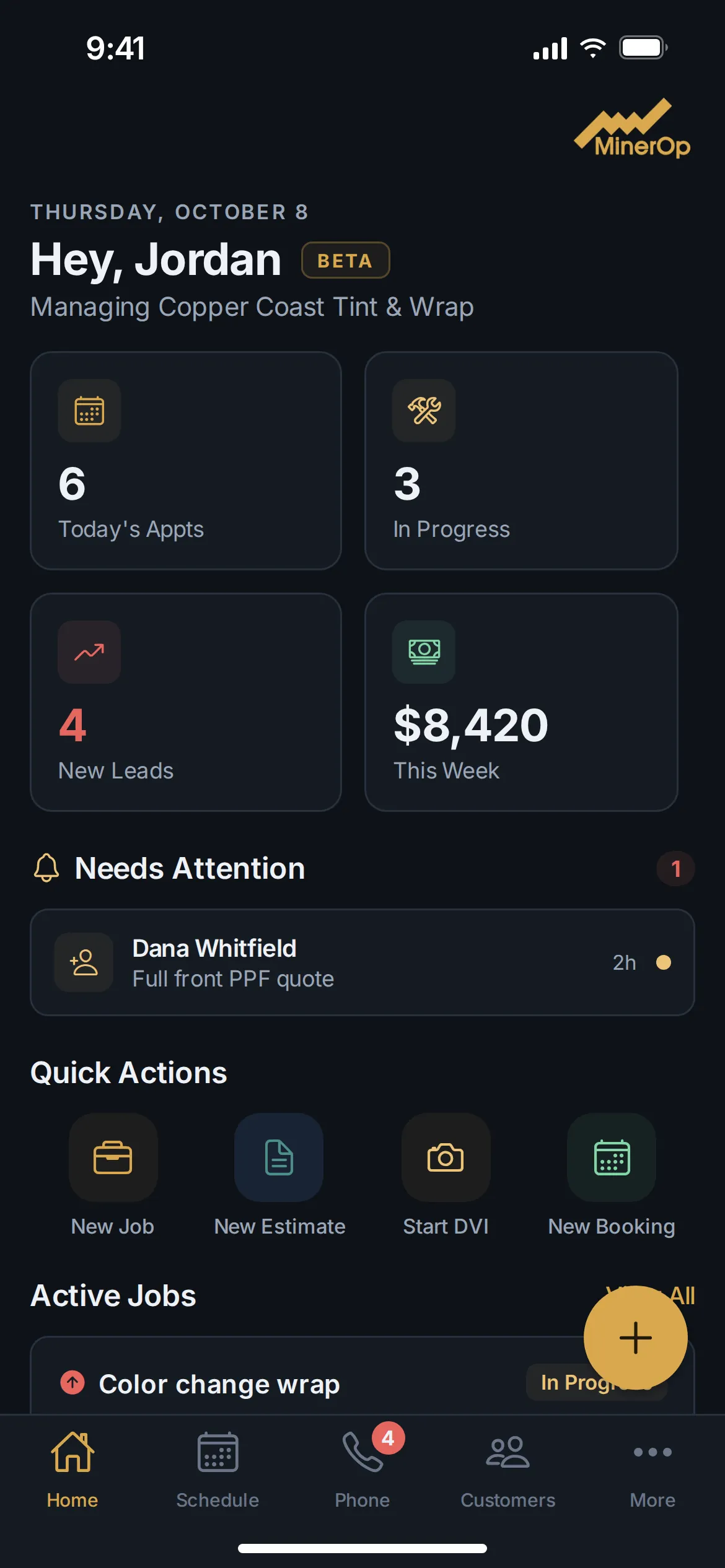
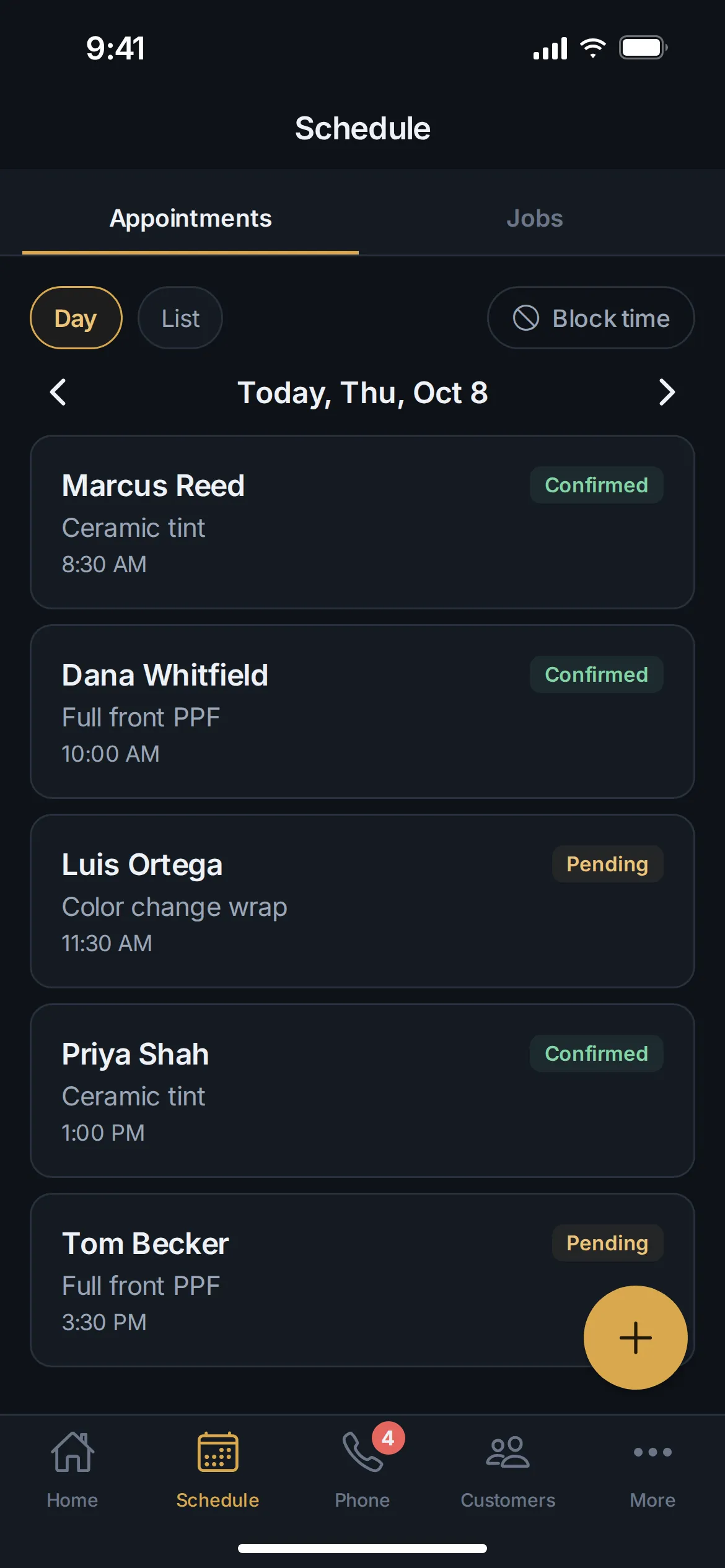
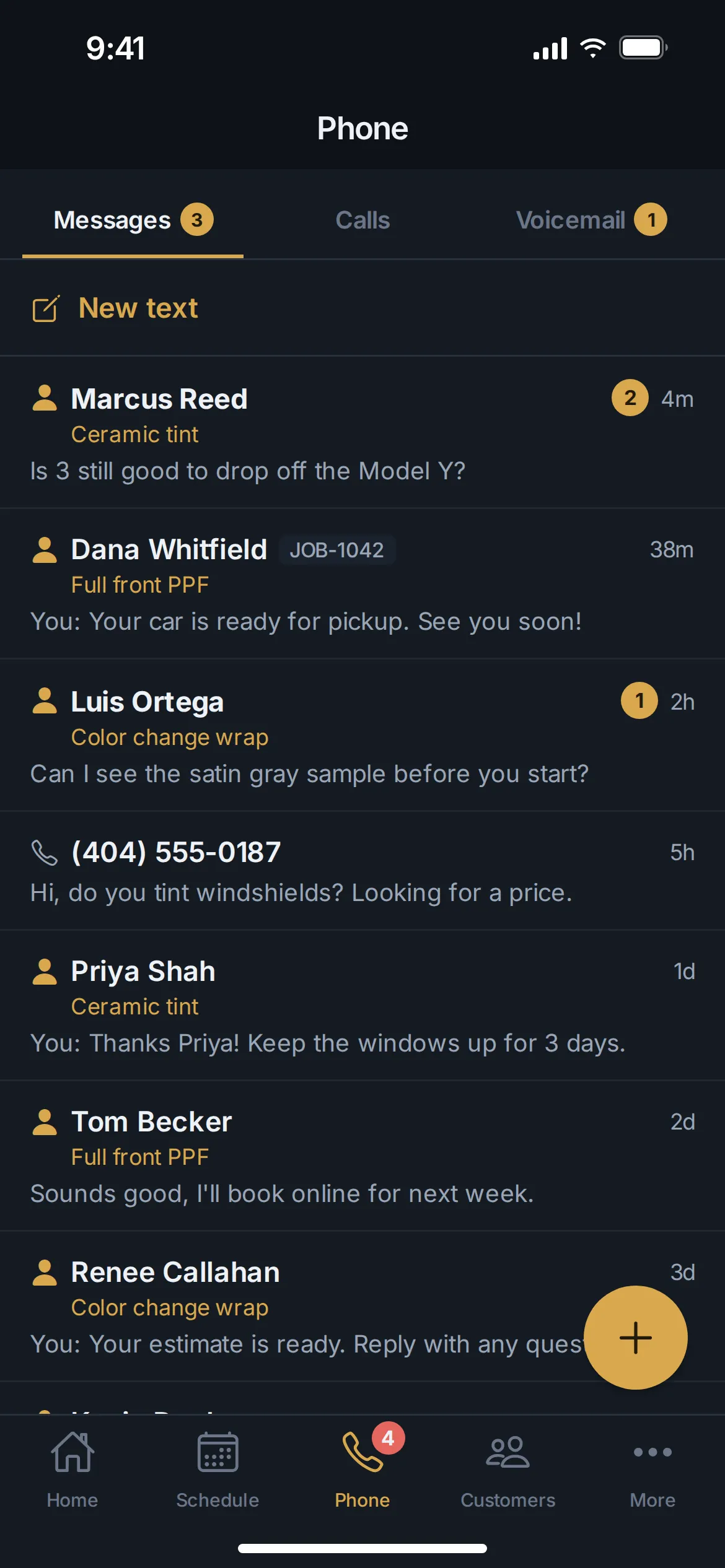
- Five tabs, nothing buried. Home, Schedule, Phone, Customers and More. Home shows what needs you today.
- Your appointments and jobs in one Schedule. Switch between appointments and jobs without leaving the tab.
- Create anything with one tap. The + button opens a new appointment, job, lead, customer, estimate or invoice from any of your main tabs.
- Leads, estimates and invoices up front. They sit at the top of the More tab, ready when a customer asks.
- Know the moment a lead comes in. Turn on notifications and the app tells you about every new lead. You choose which other alerts you get in Settings.
- The look you already know. The same dark and gold design as the MinerOp website and your portal.
- You stay in control of your account. You can delete your account from Settings in the app at any time.
Your Business Phone in Your Pocket
If your business has a MinerOp business phone line, the Phone tab puts your Messages, Calls and Voicemail in one place. You can call customers from your business number instead of your personal one, take calls that ring in the app, listen to voicemail and reply by text, all without giving out your own number.
The Phone tab shows for the people on your team who handle calls. Team members who work in the field see their Jobs there instead.
Not a MinerOp Customer Yet?
The app works with a MinerOp account, which brings your website, customers, phone and payments into one place. Request a call and we will show you what it would look like for your business, or get started today.
Questions Business Owners Ask
Is the app free?
Yes, the app itself costs nothing to download. It signs in to the MinerOp account your business already has, and what you see in it follows your plan and your role, the same as the portal. If the app says mobile access is not turned on for your business, ask your business owner or contact MinerOp support.
Do I need a separate login?
No. Sign in with the same account you use for your MinerOp portal. Continue with Google works too.
Which phones does it work on?
iPhones on iOS 16 or later, and Android phones on Android 7 or later.
When will it be in the App Store and Google Play?
Store listings are coming later. Until then, iPhone users install the beta through TestFlight, Apple’s app for testing new apps, and Android users install it straight from the link we email them.
What if I find a bug?
Tell us. In the app, tap More, then Support Tickets, and say what happened. A screenshot helps. Features may change while the app is in beta, and your feedback shapes what we fix and build next.
Want your business in your pocket?
Tell us about your business. We read every message ourselves and will call you back.